


ADR- Using Elastic Audio and the grid to match lip sync.
- Guy Mor
- May 21, 2018
- 2 min read

ADR, replacement of location recorded audio with a matching studio recording, is part of nearly all film productions. There are many helpful tricks that could get ADR to sound right and match the timing accurately, to fellowing will address the latter.
A myriad of software tools were specifically created to facilitate ADR, most notably Gallery’s ADRstudio, Synchoarts’ Vocalign family of products and their newest sibling ReVoice pro. This entry will cover a different scenario; matching the ADR lines when you DON'T have the luxury of the above.
In a nutshell, I’m going to extract a grid off of the guide track (location recording), and using Elastic Audio quantize the ADR recording into place. There’s no 3rd party plugins to buy, and you can do this in any Pro Tools system you happen to be on. Here goes…

First, cut your guide track into clips, one clip per word. You can do this manually using “tab to transient”, and the letter B key (command keyboard focus), or automatically. I prefer the manual way but you can experiment with “Separate Clip>At Transient” edit command, or the “Strip Silence – Separate” command.
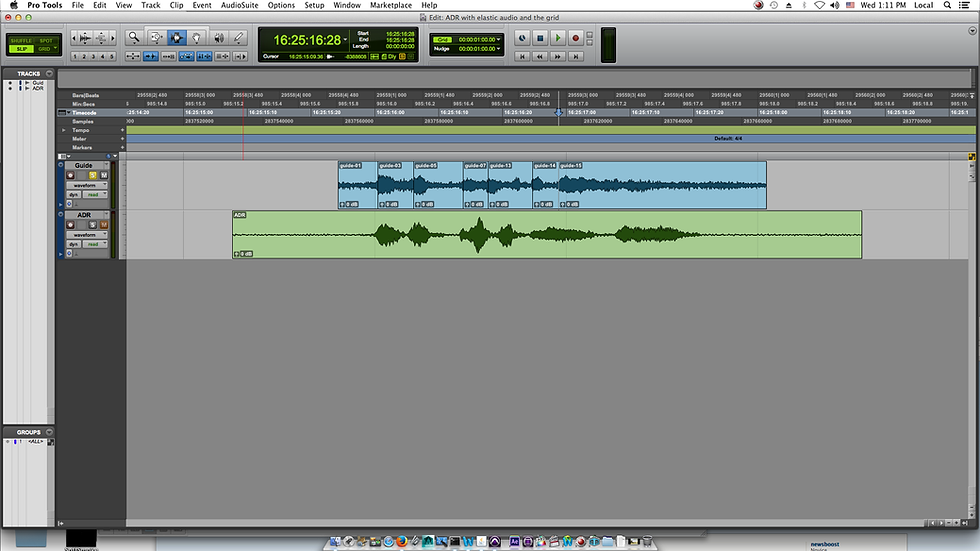
Second, change your grid to “clips/markers”. This will change your grid from frames to what is essentially the beginning of each word. Cool!
Be sure to hide any other track containing clips, as those will also be used as grid lines. You can switch to Grid mode to see your new custom grid.

Third, enable Elastic Audio on your ADR track, monophonic would be my first choice.

Forth, Open the Quantize dialog box (Event>Event Operations>Quantize or OPT+[0]).

Under “What to Quantize”, change the dropdown menu to “Elastic Audio Events”.
You will need to experiment with the quantize grid but a good starting point is ¼ note.
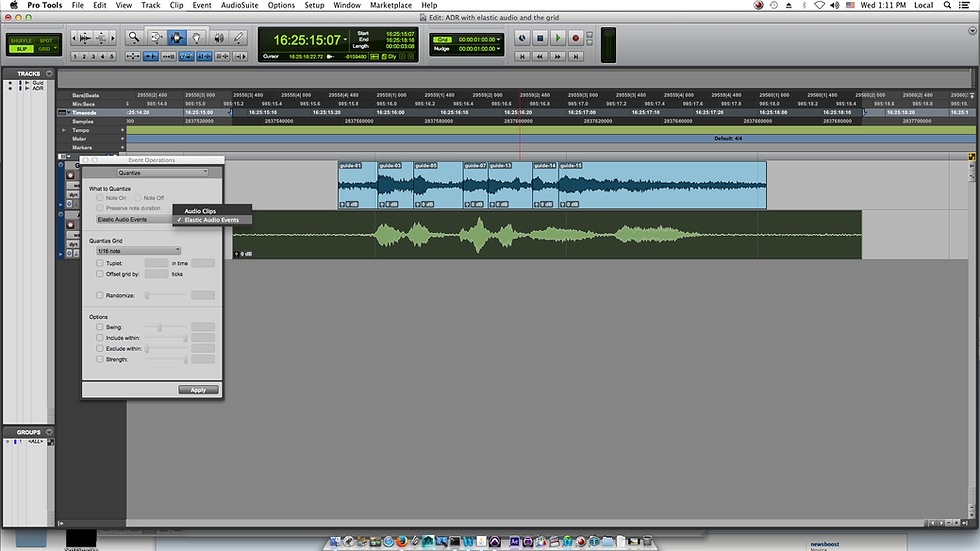
Now, select your ADR recording and apply the quantization. The audio will warp to your custom grid!

While more time consuming than processing the ADR line with Vocalign, this method ensures that your clip is still tied with the original recording and is editable all the way through the final mix. Additionally the retime processing can be adjusted with different parsing algorithms and several analysis and emphasis options.
Happy ADR!
Comments